
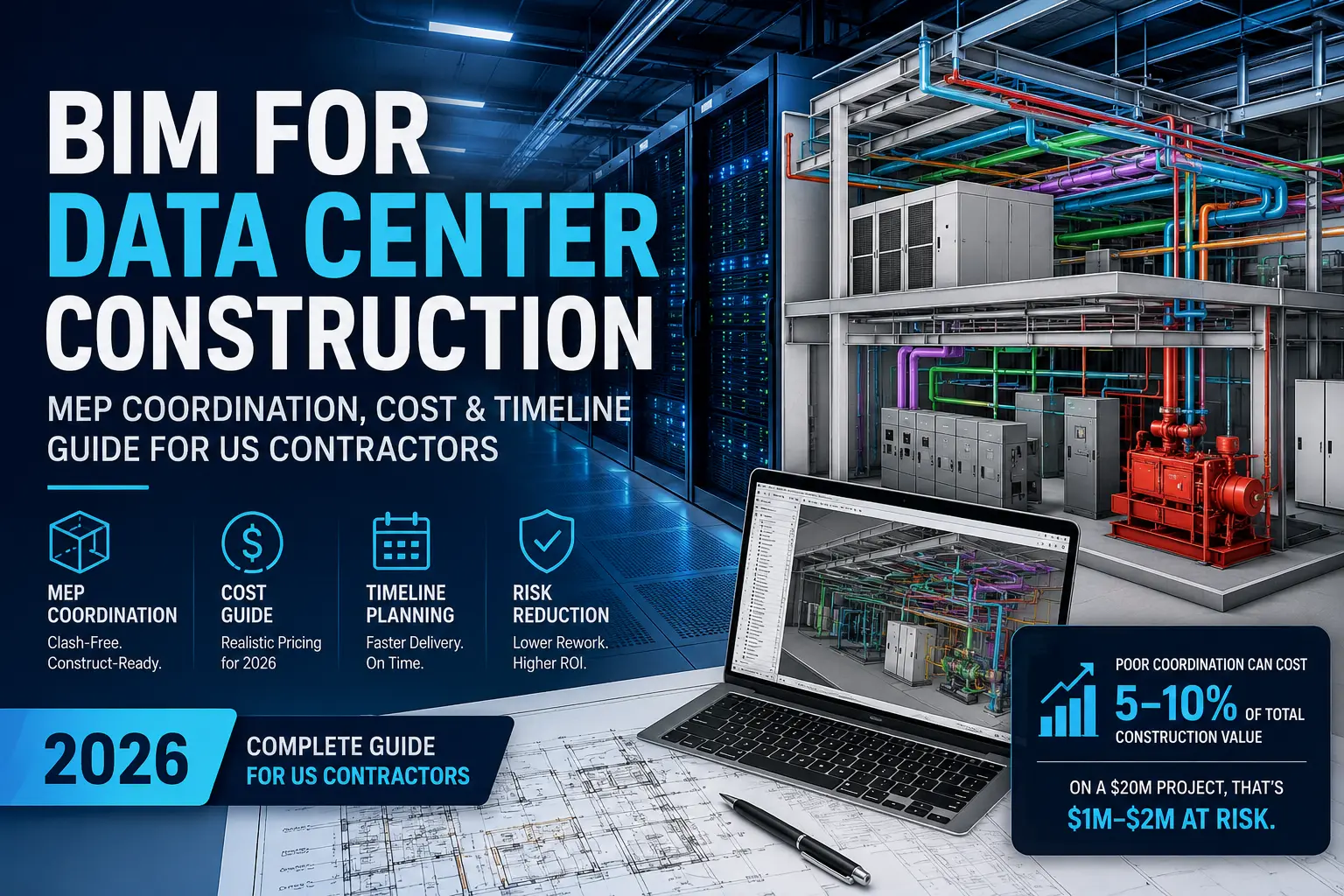
BIM coordination for a data center costs between $25,000 and $150,000+ depending on facility size and LOD requirement. For a mid-size colocation facility (20,000–50,000 sq ft) at LOD 400, most US contractors should budget $40,000–$80,000 for full MEP coordination. Projects without BIM coordination face average rework costs of 5–10% of total construction value — on a $20M data center build, that’s $1M–$2M at risk.
Why Data Centers Are a Different Beast
Every time you stream a video, run an AI query, or open a cloud application, a data center somewhere responds in milliseconds. Behind that speed is some of the most densely engineered building infrastructure ever built — and it all has to work perfectly from day one.
That’s what makes data centers fundamentally different from any other commercial construction project.
A standard commercial office building uses roughly 2 watts per square foot of power. A hyperscale data center can demand 50 to 600 watts per square foot. The MEP systems required to deliver, cool, and protect that power — chilled water mains, cable trays, UPS rooms, generator exhaust, precision cooling units — fill every available inch of ceiling and floor space in ways that make coordination errors nearly inevitable without BIM.
The stakes are also higher. A clash discovered during installation in a hospital is expensive. A clash discovered during commissioning of a live data center can cost the owner $100,000 or more per hour in delayed go-live revenue. There is no tolerance for field-discovered problems.
That pressure is why BIM for data center construction has shifted from a value-add to an absolute requirement, and why the contractors who are winning data center work in 2026 treat BIM coordination as the first real line item in the budget — not an afterthought.
The Data Center Construction Boom Is Real
Before we get into what BIM coordination actually involves, it’s worth understanding the scale of what’s being built right now.
The US data center construction market was valued at approximately $14.35 billion in 2025 and is projected to reach $15.51 billion in 2026, on a path toward $23.74 billion by 2031 (Mordor Intelligence). A single month — July 2025 — saw $14 billion in data center construction starts across the US alone. Standard builds now cost $10–12 million per MW to construct; AI-ready facilities run $20 million per MW or more.
The top US markets by construction volume are Northern Virginia (which accounts for 25% of the Americas pipeline), Texas, Oregon, California, and the Pacific Northwest. If your firm operates in any of these regions, data center work is likely already in front of you.
What does this mean for BIM and MEP coordination? It means the demand for BIM-capable contractors on data center projects will continue to outpace supply. Owners building at this scale and speed cannot afford delays from uncoordinated trade drawings. They mandate BIM — and they’ll move on to the next contractor if you can’t deliver it.
What BIM Coordination Actually Covers in a Data Center
Data center BIM is not just standard MEP modeling with more conduits. These facilities require a specific, structured approach across every discipline.
Mechanical (Cooling Systems)
Precision cooling is the most spatially demanding element of any data center. BIM coordination for mechanical systems covers:
- Chilled water supply and return mains, including pipe sizing and insulation clearances
- CRAC and CRAH unit placement relative to cold aisle/hot aisle containment configurations
- Computer Room Air Handler (CRAH) ducting and plenum design for overhead or underfloor distribution
- Condenser water systems for water-cooled facilities
- Liquid cooling loops for high-density AI and GPU server racks (increasingly relevant in 2026)
- Coordination of mechanical equipment rooms with structural load paths and access clearances
Electrical (Power Distribution)
Data centers are 60–70% MEP by cost, and electrical coordination is where clashes are most frequent and most expensive. BIM covers:
- Primary electrical distribution: switchgear rooms, transformers, main distribution boards
- UPS systems and static bypass routing
- Overhead and underfloor busway routing at LOD 400 (fabrication-ready)
- Cable tray systems and conduit routing from MDB to PDUs
- Generator fuel systems, exhaust routing, and coordination with air intakes
- NEC compliance clearances around all electrical equipment
Plumbing and Fire Protection
- Domestic water, floor drains, and leak detection systems below raised floors
- Fire suppression systems: clean agent (FM-200, Novec 1230), pre-action sprinkler, or a combination
- Coordination of suppression nozzles and sprinkler drops with IT equipment layouts
Low-Voltage and IT Infrastructure
A frequently missed scope item: structured cabling, security conduits, and network pathway modeling should be included in the coordinated BIM model wherever possible, particularly in colocation facilities where cabling paths directly affect tenant density planning.
What LOD Level Do Data Centers Require?
Most data center owners and general contractors require LOD 400 (fabrication-ready) for at least the mechanical and electrical scopes. Here’s why it matters:
| LOD Level | What It Means | Typical Use |
|---|---|---|
| LOD 300 | Size, shape, location, approximate connections | Design coordination, clash detection |
| LOD 350 | Connections and clearances included | Construction documentation |
| LOD 400 | Fabrication-ready: every fitting, hanger, connection point | Data centers, prefab, mission-critical |
| LOD 500 | As-built record | Facility management, digital twin |
The difference in cost between LOD 350 and LOD 400 is real — it can double the modeling hours for dense MEP scopes. But on a data center, the cost of not reaching LOD 400 shows up during prefabrication and commissioning in ways that are far more expensive than getting the model right upfront.
Data Center BIM Coordination Cost — What US Contractors Are Paying in 2026
This is the question every contractor and owner asks first, and the honest answer is that pricing varies significantly based on facility type, LOD, and scope. Here is a realistic breakdown based on 2026 US market data.
Cost by Facility Type
| Project Type | Facility Size | Typical BIM Coordination Cost |
|---|---|---|
| Edge / micro data center | 500–3,000 sq ft | $8,000–$25,000 |
| Enterprise / private facility | 5,000–20,000 sq ft | $20,000–$50,000 |
| Colocation facility | 20,000–80,000 sq ft | $40,000–$100,000 |
| Hyperscale campus (per building) | 100,000+ sq ft | $100,000–$300,000+ |
These figures cover full MEP BIM coordination at LOD 400, including clash detection and report delivery. Structural and architectural modeling, 4D scheduling, or as-built modeling are typically priced separately.
Cost by Discipline
For a mid-size colocation facility, a rough allocation of BIM coordination spend typically looks like this:
- Mechanical (cooling): 35–40% of coordination budget
- Electrical (power distribution + cable tray): 40–45%
- Plumbing + fire protection: 15–20%
What Drives the Cost Up
Several factors push data center BIM coordination costs above the baseline:
White space count. Each independently commissioned white space (server hall) requires its own coordination effort. A colo facility with four white spaces costs meaningfully more than one with a single open floor.
Tier level. Tier III facilities (N+1 redundancy) and Tier IV (2N redundancy) require complete duplication of mechanical and electrical pathways — which means significantly more modeling work and more complex clash detection.
AI-ready design. High-density AI and GPU facilities with liquid cooling loops (direct-to-chip or immersion) add a discipline that many BIM teams are still learning to model accurately. Expect a 20–30% premium over standard CRAC-based cooling.
Owner-specified equipment. When the owner mandates specific UPS, cooling, or generator equipment mid-coordination, model revisions are significant. Early involvement of the BIM team before equipment specs are locked saves substantial cost.
The ROI Case for BIM Coordination
Industry data shows that poor project data and miscommunication result in rework costs that regularly reach 5–10% of total construction value. On a $20 million colocation facility, that’s $1 million to $2 million in preventable cost — far exceeding the $50,000–$80,000 investment in thorough BIM coordination.
MEP subcontractors on well-coordinated projects report labor savings of 20–30% and rework rates dropping to near zero for mechanical scopes. When you account for avoided schedule delays and commissioning failures — which alone average 3.8 months on poorly coordinated data centers — the ROI case for BIM is not marginal. It is decisive.
Timeline: How Long Does BIM Coordination Take on a Data Center?
Data center schedules are aggressive. Owners building $300M campuses are often targeting 12–18 months from groundbreak to commissioning. BIM coordination has to fit inside that window without becoming the critical path.
Here is how the BIM timeline typically maps to a data center construction schedule:
Phase 1: Design-Assist BIM (Pre-Construction)
Duration: 3–6 weeks
This is early-stage BIM work that runs parallel with design development. The BIM team models major MEP systems at LOD 300 to validate routing concepts, identify major spatial conflicts, and inform structural slab openings and equipment pad locations before CDs are issued. This phase saves the most money per dollar spent.
Phase 2: Full Coordination BIM (Post-GC Award, Pre-Construction)
Duration: 6–16 weeks depending on size
The core coordination effort. All disciplines are modeled at LOD 350–400, clash detection reports are issued, and trade-by-trade resolution meetings are held. Most data center owners require weekly clash report cadence during this phase. For a 40,000 sq ft colo facility, budget 8–10 weeks. For a 150,000+ sq ft hyperscale, budget 14–20 weeks.
Phase 3: Fabrication BIM (LOD 400 Deliverables)
Duration: Runs concurrently with Phase 2, 2–4 weeks after coordination sign-off
Spool drawings, hanger schedules, and prefabrication packages are generated from the coordinated model. This phase directly feeds the shop fabrication timeline, which is why LOD 400 accuracy matters — errors here show up as scrapped prefabricated assemblies at the worst possible time.
Phase 4: As-Built BIM (Post-Construction)
Duration: 3–6 weeks post-construction
The as-built model is updated to reflect field conditions, RFI-driven changes, and owner-furnished equipment as installed. This deliverable is increasingly required by data center owners as the foundation for digital twin and CMMS integration during operations.
What Compresses the Timeline
- Early contractor involvement — BIM team onboard at design phase, not after GC award
- Clean, complete MEP design inputs — incomplete design drawings are the single biggest coordination schedule killer
- Dedicated BIM coordinator per discipline, not shared-team arrangements
- Cloud-based clash detection platforms (Autodesk Construction Cloud, BIM 360) with real-time model access for all trades
- Pre-agreed BIM Execution Plan (BEP) with LOD, deliverable format, and review cycle defined before modeling starts
The 5 Most Common MEP Clashes in Data Centers (and What They Cost)
Understanding where clashes happen most is half the battle. Here are the five clash types that BIM consistently prevents on data center projects — and what they cost if they reach the field.
1. Cable tray routing vs. chilled water mains
The most common and most expensive. Cable trays serving server rows compete for the exact same overhead zone as chilled water supply and return mains. A field clash here means rerouting live cable tray or cutting and re-welding insulated pipe — typically a $15,000–$40,000 change order plus schedule impact.
2. Overhead busway clearance vs. structural steel
High-capacity overhead busway systems require specific clearances from structural beams for both installation access and NEC maintenance compliance. Structural coordination in BIM prevents the common scenario where a fabricated busway run arrives on site and cannot be installed without cutting steel.
3. Generator exhaust vs. fresh air intakes
Exhaust routing from diesel generators must be modeled relative to all air intake locations — for cooling units, pressurization fans, and the building envelope. A field clash here is not just expensive; it is a commissioning failure that can prevent the facility from receiving occupancy.
4. Electrical room equipment vs. NEC maintenance clearances
The NEC requires specific working clearances in front of switchgear, transformers, and panel boards — clearances that frequently get violated when equipment is placed in tight electrical rooms without 3D coordination. BIM resolves these issues before equipment is delivered to site.
5. Raised floor penetrations vs. structural slab
Underfloor distribution (cable trays, chilled water branches, piping) requires coordinated slab penetrations. When penetrations are not modeled and coordinated, core drilling through post-tensioned slabs on site is the result — one of the most disruptive and costly field changes in data center construction.
What Sets BIM-Ready Data Center Contractors Apart
In a market where data center owners are awarding contracts increasingly based on BIM capability — not just price — the contractors winning work share a few common traits.
They treat BIM as a preconstruction tool, not a documentation exercise. They involve their BIM team at the same time they involve their estimator. They have pre-negotiated BIM Execution Plan templates they can turn around in days rather than weeks. And they understand that the cost of coordination — even at $80,000 for a mid-size colo — is not an overhead item. It is risk management with a measurable return.
The contractors who are still treating BIM as a box to check after design is complete are the ones who are losing bids, absorbing change orders, and watching commissioning dates slip.
Why Work With BuiltInBIM for Your Data Center Project
Data center BIM coordination is not a service you want to hand to a generalist. The MEP density, Tier-level redundancy requirements, and zero-tolerance commissioning standards demand a partner who has done this before — one who knows the difference between a Tier III N+1 cooling layout and a Tier IV 2N configuration, and how to model both accurately at LOD 400.
BuiltInBIM is a US-focused BIM coordination and MEP modeling firm with hands-on experience across edge facilities, colocation builds, and mission-critical projects. Here is what you get when you work with us:
- LOD 300 through LOD 400 MEP coordination using Autodesk Revit MEP, CADmep, and Navisworks
- Weekly clash detection reports with discipline-level detail, not summary PDFs
- Dedicated coordinators per project — not a shared offshore team you have to re-brief every call
- Fast turnaround — we work across time zones so your coordination does not stop when your office closes
- Full as-built modeling at project closeout, ready for digital twin or CMMS integration
- Transparent, fixed-scope pricing with line-item breakdowns by discipline before we start
Whether you are a general contractor bidding a new colo facility, an MEP sub trying to win a hyperscale package, or an owner who needs a BIM partner from design through commissioning — we are built for this work.
Get a free quote for your data center BIM coordination project:
https://builtinbim.com/get-quote
8 Questions to Ask a BIM Vendor Before Hiring Them for Data Center Work
Hiring the wrong BIM partner on a data center project is a compounding mistake — errors discovered late in coordination are far more expensive than errors discovered early. Use these questions to separate qualified vendors from those who will learn on your project.
1. Do you have data center-specific project experience?
Ask for model samples or references from Tier III/IV or hyperscale projects. Generic MEP BIM experience is not the same as data center BIM. The density, redundancy routing, and commissioning requirements are a different discipline.
2. What software do you use, and can you work in our project environment?
Autodesk Revit MEP, CADmep, and Navisworks are the standard US data center stack. If the vendor only works in one platform and your project uses another, that is a real coordination risk.
3. What LOD level do your deliverables reach by default?
Many vendors default to LOD 300 unless LOD 400 is explicitly scoped. For data centers, always specify LOD 400 for mechanical and electrical scopes and confirm this is included in the proposal, not an add-on.
4. How do you handle owner equipment substitutions mid-coordination?
Late equipment changes are the norm in data centers, not the exception. A qualified vendor has a change management process — including how RFIs are logged, model revisions are tracked, and schedule impacts are communicated.
5. What is your clash report cadence?
Weekly clash reports are the minimum for active data center coordination. If a vendor cannot commit to weekly deliverables with discipline-level detail, your trades will lose confidence in the coordination process quickly.
6. Can you provide a dedicated coordinator, not a shared team?
Shared teams work fine for standard commercial projects. On a fast-track data center, a dedicated coordinator who knows the project inside out — one who is responsive at 6 a.m. when a trade foreman has a field question — is what keeps coordination from becoming the critical path.
7. Do you provide as-built modeling post-construction?
Ask what is included: model update from RFIs only, or field verification as well? A full as-built at LOD 500 is the foundation for digital twin integration, which data center owners are increasingly requiring at project closeout.
8. How is pricing structured — per square foot, per discipline, or fixed scope?
Fixed-scope pricing is preferable for well-defined projects. Per-square-foot pricing can underestimate dense facilities. Get a line-item breakdown by discipline and deliverable so there are no surprises when fabrication packages are due.